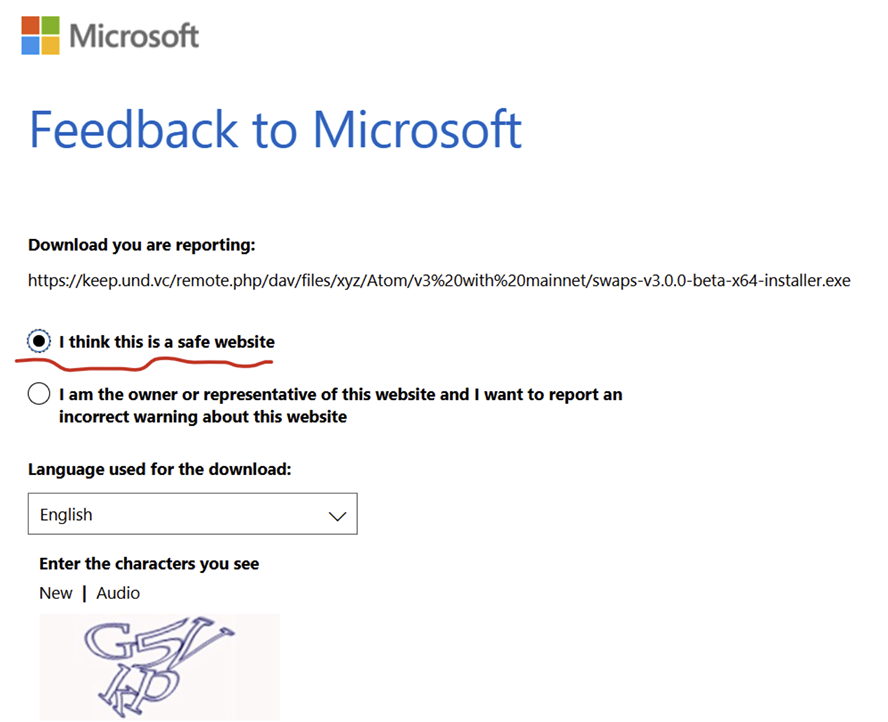
Windows SmartScreen warning
Windows may display a Microsoft SmartScreen warning when downloading or opening the Swaps installer. This can happen because newly signed applications may not yet have enough reputation with Microsoft Defender.
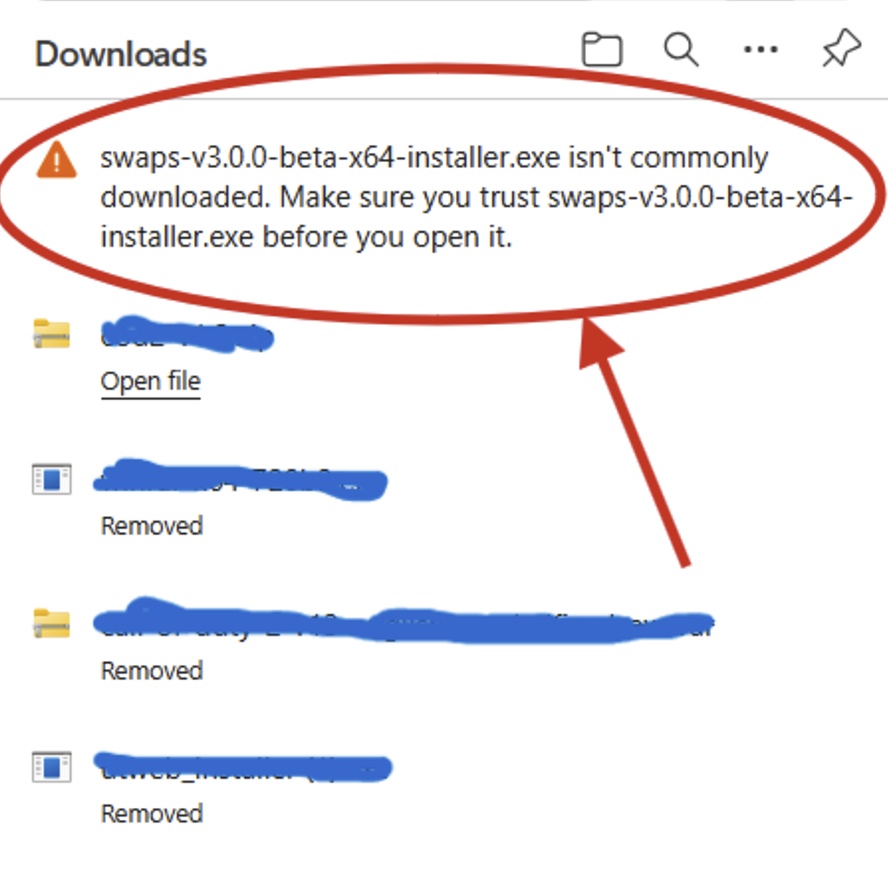
If you see this warning, follow the steps below to continue the installation safely.
- 1
Open the Download Options
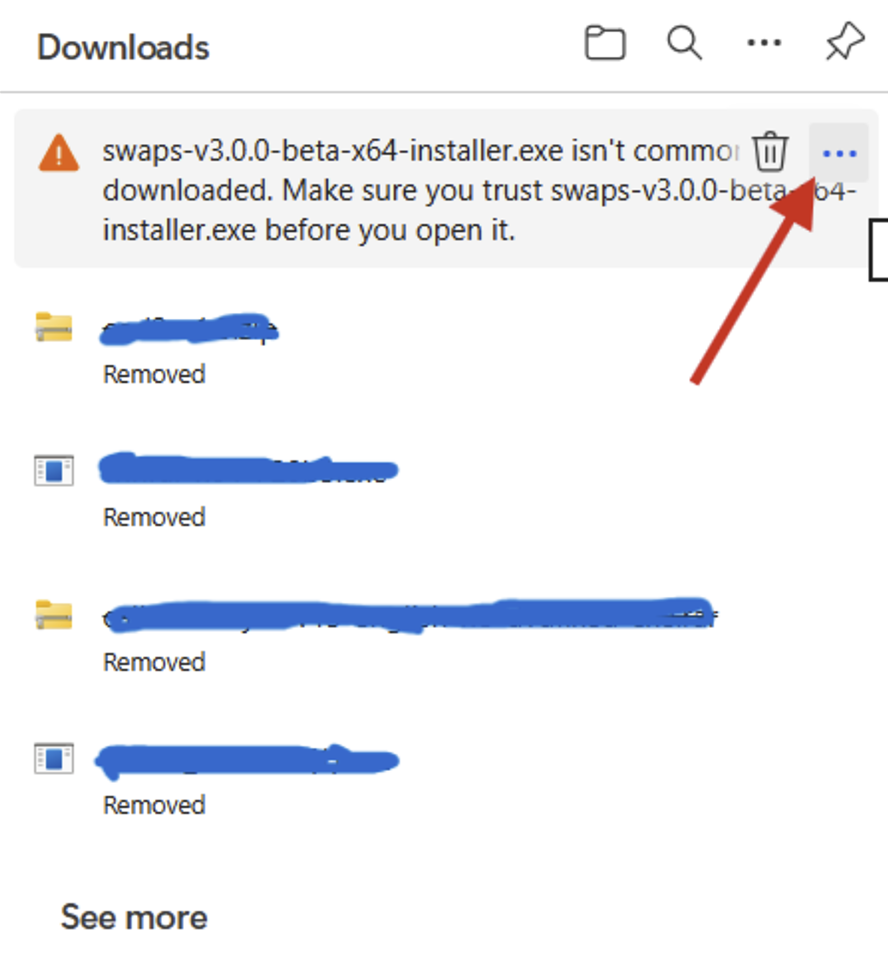
In your browser’s Downloads panel, hover over the Swaps installer and click the “…” menu button in the top-right corner.
- 2
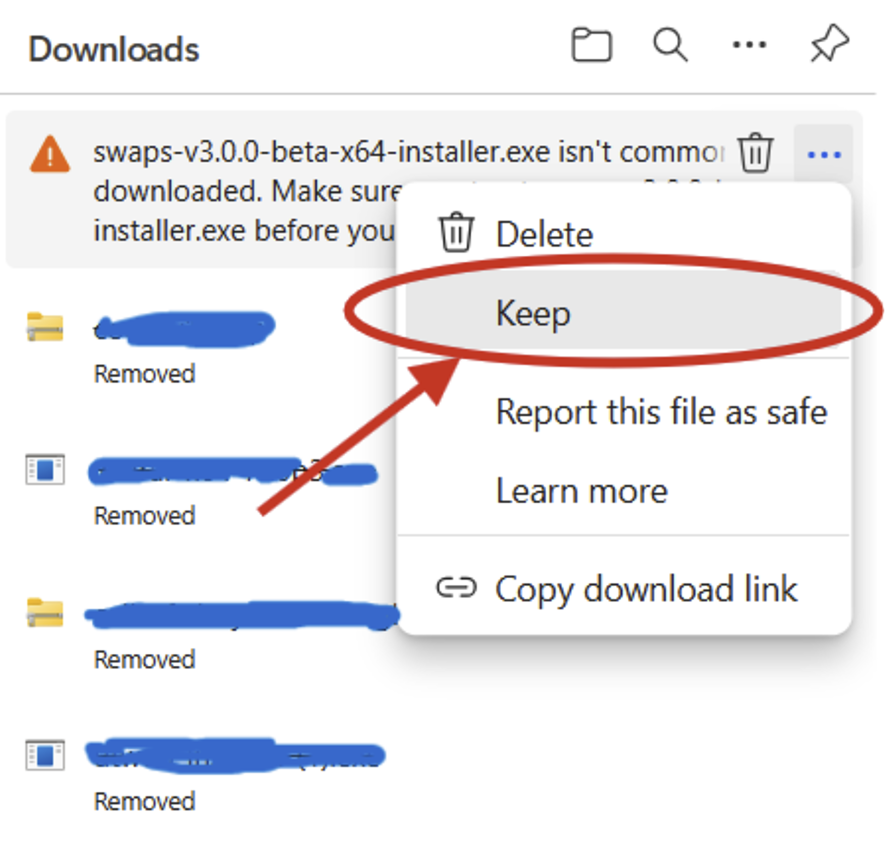
Keep the File
From the context menu, select: Keep
- 3
Open Additional Options
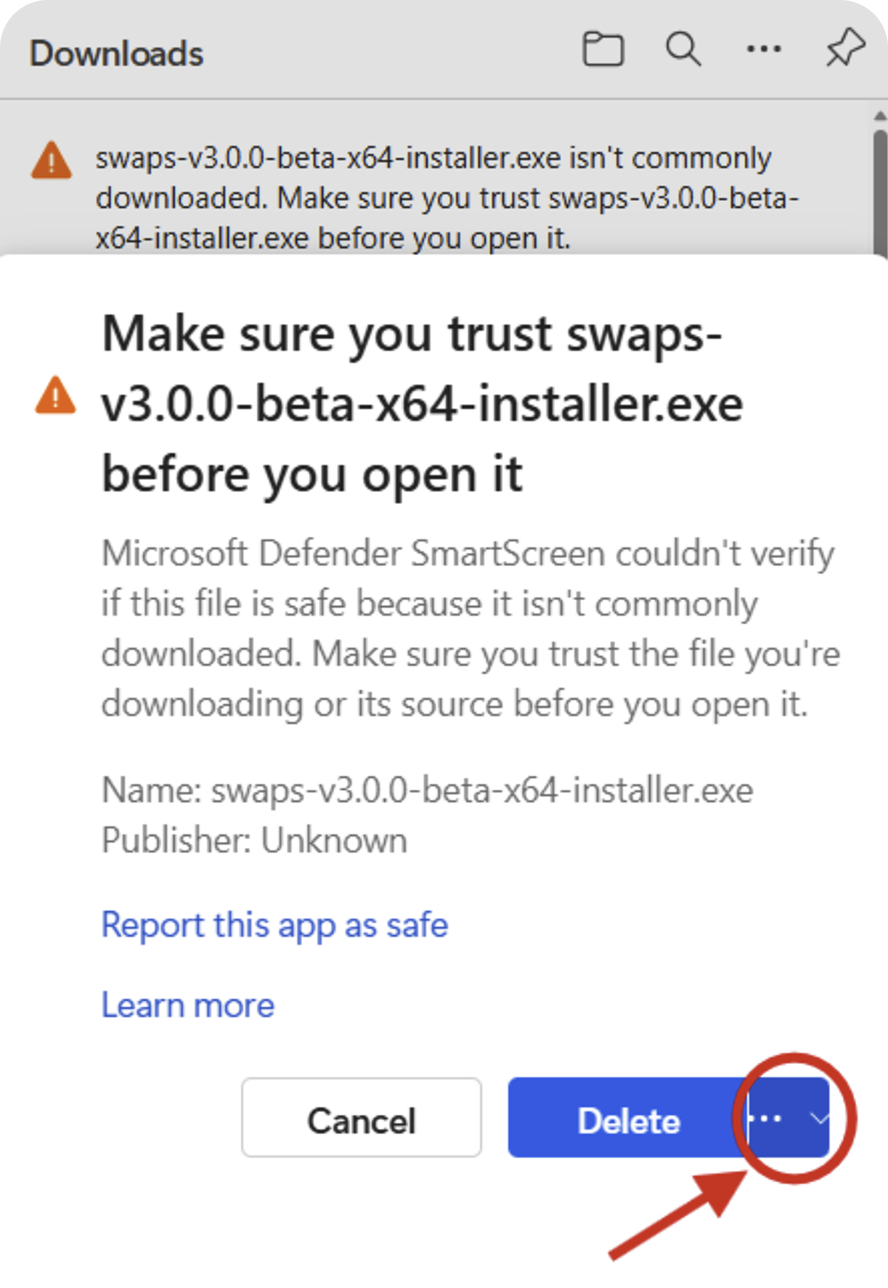
When the SmartScreen warning dialog appears, click the “…” button next to the Delete button.
- 4
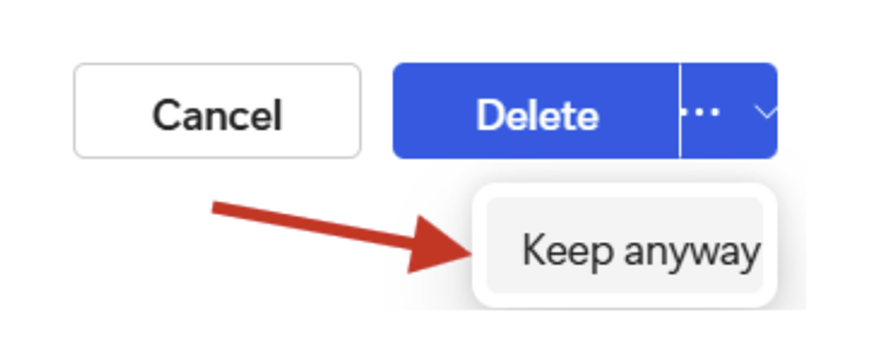
Confirm the Download
Click: Keep anyway
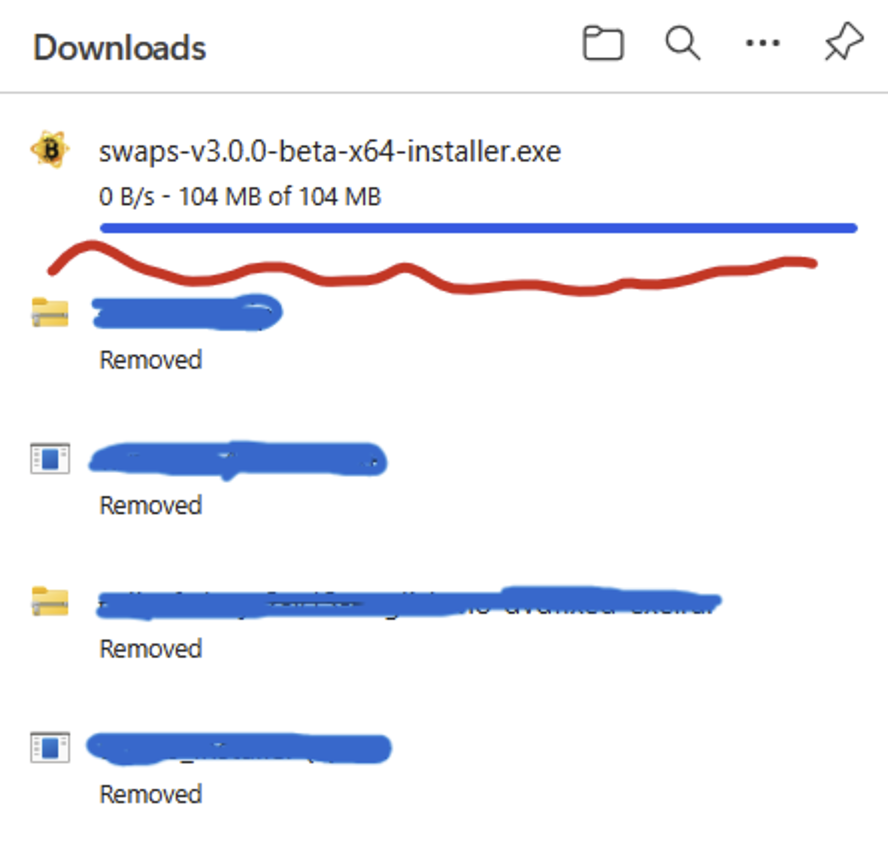
Windows will continue downloading the installer. Once the download is complete, you can open and install Swaps normally.
Optional: help improve Swaps reputation
You can help Microsoft recognize Swaps as a trusted application faster by reporting the installer as safe.
- 1
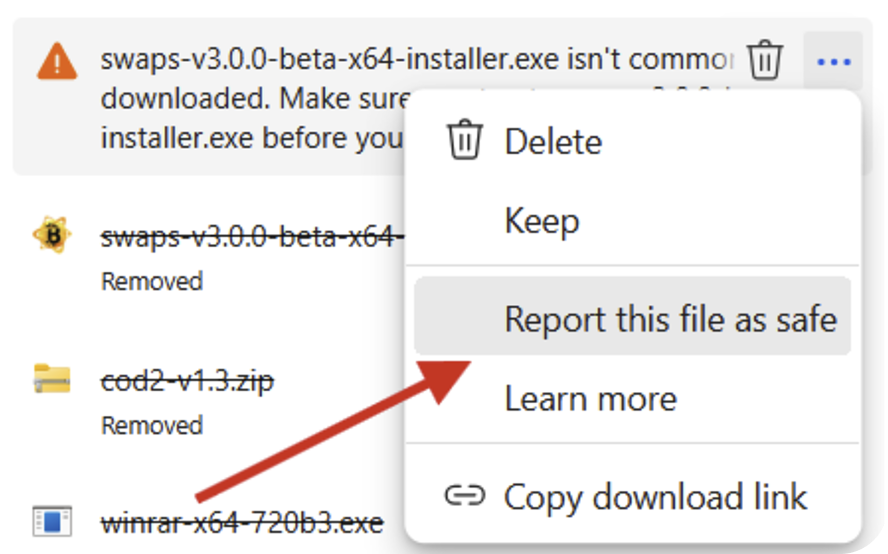
Report the File as Safe
In the same download menu, select: Report this file as safe.
- 2
Submit the Microsoft Report
On the Microsoft feedback page. Select: I think this is a safe website. Complete the form and submit the report. This helps reduce future SmartScreen warnings for other users.