
Prevent macOS from sleeping
Swaps uses a peer-to-peer network to process orders and complete atomic swaps. To ensure your orders remain active and swaps are processed correctly, your Mac must stay online while the application is running.
By default, macOS may automatically put your device to sleep when the display is turned off. This can interrupt active orders or ongoing swaps.
Follow the steps below to prevent your Mac from automatically sleeping while connected to a power adapter.
- 1
Open System Settings
Open System Settings on your Mac.
- 2
Search for the Sleep Setting
In the search bar located in the top-left corner, type: prevent auto
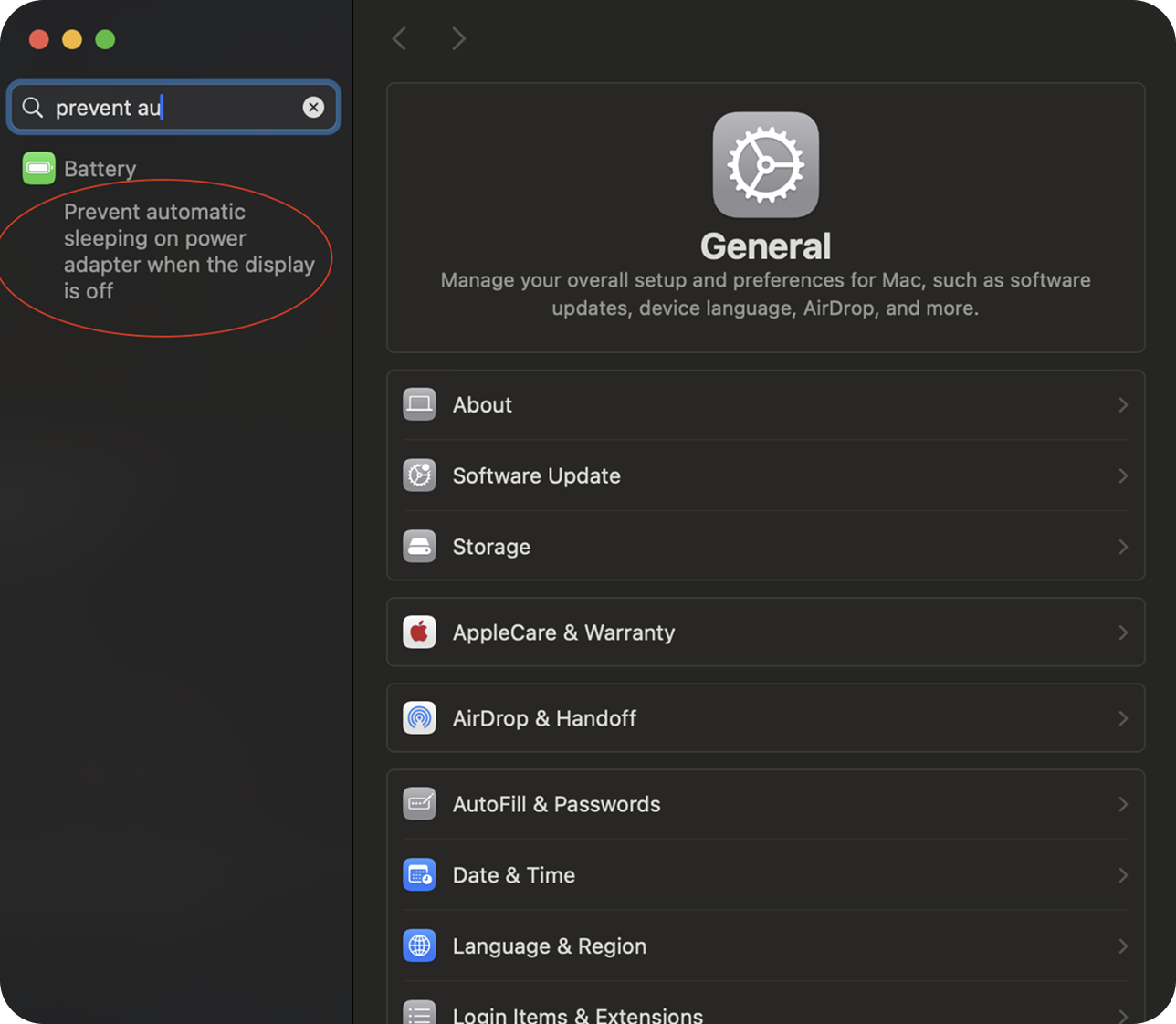
Then select the setting: “Prevent automatic sleeping on power adapter when the display is off”
- 3
Enable the Setting
Turn on: Prevent automatic sleeping on power adapter when the display is off
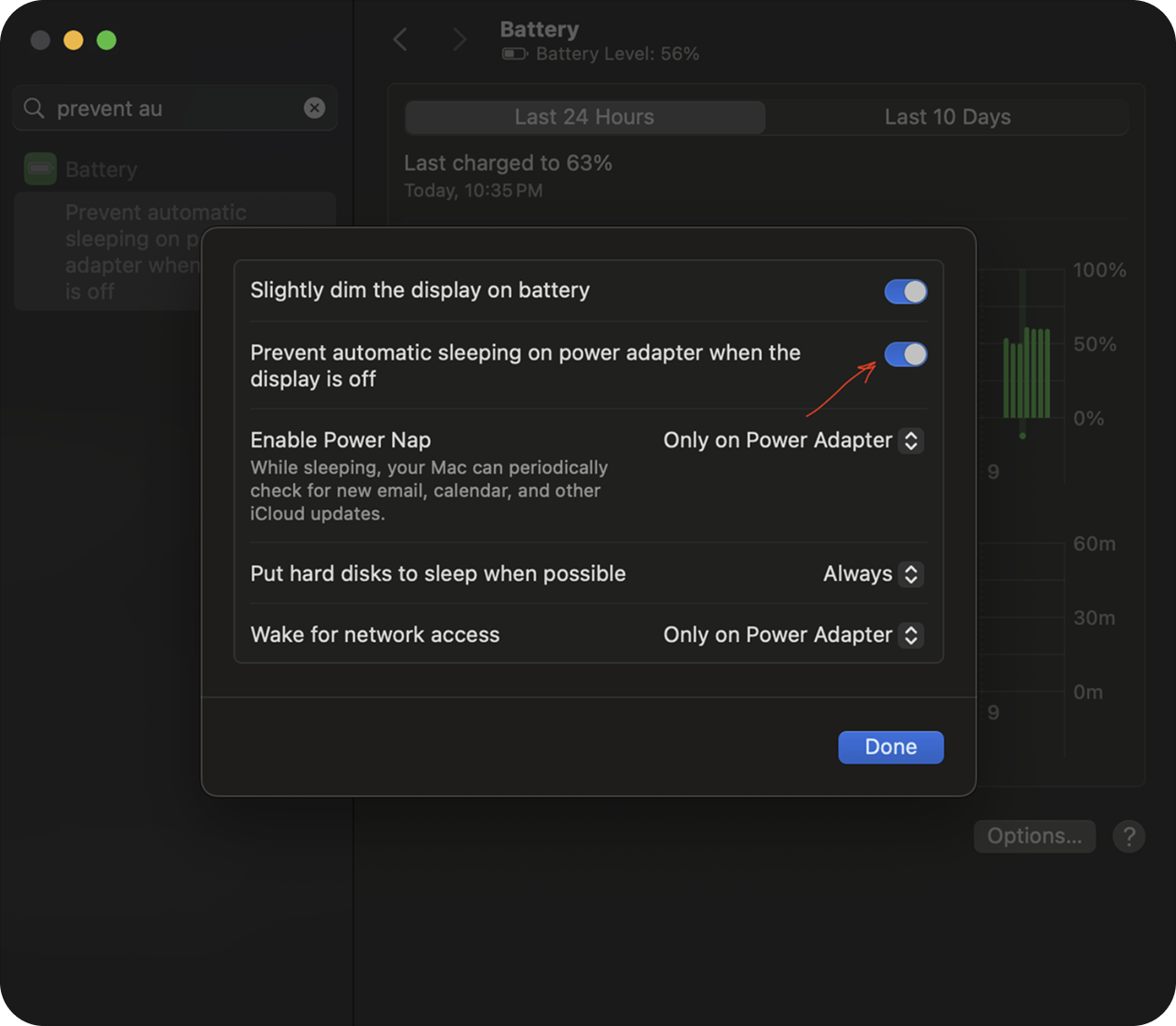
Once enabled, your Mac will stay awake while connected to power, allowing Swaps to continue processing orders and swaps without interruption.